 consult@excelexperts.com.au
 1300 102 810
Manual copying between systems
Staff transferring records from one platform manually. Each pass is a chance for an error, and the time adds up fast. What once was a ten-minute job has now become the first hour of someone's morning, every morning.
Your Microsoft Technology Development and Consulting Experts - Operating since 2000




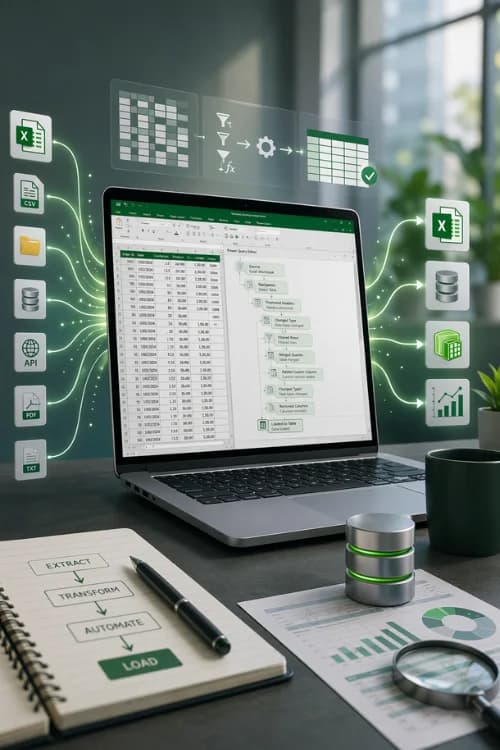
If your team spends a lot of time fixing spreadsheets, tidying up imported data, or dealing with Excel processes that keep breaking, chances are the real issue is in your system, not your people.
We create Excel automation solutions with VBA, Power Query, and SQL integrations that eliminate tedious manual tasks and make your data handling more reliable.
What we build
Connect Excel to databases, SharePoint, APIs, and file feeds. Build pipelines that clean, reshape, and load data automatically on refresh with no manual intervention required.
Learn moreAutomated imports, bulk conversions, file generation, and multi-workbook consolidation. We also rebuild legacy macros that have broken after a 64-bit migration or Microsoft 365 update.
Learn moreConnect Excel directly to SQL Server, MySQL, PostgreSQL, or Oracle. Parameterised queries refresh on demand, with the right systems in place your reports always reflect live data.
Learn morePull live data from Salesforce, Xero, MYOB, HubSpot, and custom REST APIs. We handle authentication, response parsing, and scheduled refresh.
Learn moreProcess hundreds of files overnight. Format conversions, multi-file consolidation, and batch jobs triggered manually or on a schedule.
Learn moreRecognise any of these?
Most of these aren't new problems. They've usually grown over time, and they've been quietly costing the business every single day. The difference between a patch and a permanent fix is choosing the right tool and building a solid foundation.
Staff transferring records from one platform manually. Each pass is a chance for an error, and the time adds up fast. What once was a ten-minute job has now become the first hour of someone's morning, every morning.
Pulling live data takes too long, so reports run on last night's export. By the time a decision is made, the numbers have already moved. The gap between what the report shows and what's actually happening widens every hour it sits untouched.
A column gets renamed upstream. A date field switches format. A source system adds a new row at the top. Suddenly a workbook that's worked fine for two years is broken and nobody knows exactly why. Fragile setups like this require constant babysitting and eventually fail at the worst possible moment.
Deduplicating records, stripping whitespace, or reformatting dates all done manually before a single chart can be built. This is prep work that a properly built pipeline eliminates entirely, yet it consumes a significant portion of many people's time.
Legacy VBA that worked reliably for years suddenly breaks after a 64-bit Office migration or a Microsoft 365 update. The person who built it left years ago, the documentation is thin, and nobody wants to touch it. We rebuild these properly.
Every data problem is different. The solution might be Power Query, VBA, a SQL connection, or a combination of techologies. That's why we start by assessing your needs to then find the most efficient solution for your specific case.
Connect Excel to databases, SharePoint, APIs, and 3rd-party applications. We develop pipelines that clean, reshape, and load data automatically.
For automation that needs to do more than your spreadsheet allows. We build new macros and rebuild legacy ones that may have broken completely or a grinding to a halt.
Connect Excel directly to SQL Server, MySQL, PostgreSQL, or Oracle. Queries refresh on demand and your reports always reflect what's live in the database.
Pull live data from Salesforce, Xero, MYOB, HubSpot, and custom internal systems directly into Excel. We handle authentication, response parsing, and error handling.
When the volume itself is the problem, we build batch automation that runs in the background on a trigger or schedule.
The best outcomes are achieved by at first working together to understand the problem, discussing your options, and scoping the most cost effective yet scalable solution.
As part of the nationwide organisation Office Experts Group, we have a large team with years of experience across the entire Microsoft Office suite, sometimes the best solution may involve Power Platform, 365 or even a completely custom application.
Start a conversationWe start by understanding exactly what you're working with. Beginning with the data sources your using, how the current process runs, and talking with you about what you would like to achieve.
Depending on your data sources, Excel version, and how often the process runs, the answer might be Power Query, VBA, a SQL connection, or a combination. Sometimes we call on our power platform experts for really powerful dashboards and automated systems.
The solution is built into your system. We test against edge cases, look for potential pain points and push the changes to production without disrupting your existing workflow.
Both tools have their place, but each solve different types of problems. The choice depends on what your process needs to do, how often it runs, and which version of Excel you're on.
| Power Query | VBA | |
|---|---|---|
| Best for | Regular data refreshes, ETL pipelines, and multi-source merging | Custom logic, UI interaction, file generation, and triggered workflows |
| Coding required | No - M language is optional for advanced transformations | Yes - VBA scripting required |
| Refresh model | Scheduled or one-click refresh | Triggered by macro run (button, event, or schedule via Task Scheduler) |
| Excel version | Excel 2016+ or Microsoft 365 | All versions of Excel |
| Ideal user | Analysts who need clean, live data in their workbooks | Operations teams who need automation to do more than transform data |
Tell us what you're working with and where you would like to be. We review every enquiry and come back with an honest assessment of what we think will work best.
Copyright © 2024. Brayalei Pty Ltd T/As Office Experts Group. ABN 32 093 067 737. ACN 093 067 737. All Rights Reserved.